🎵 Music & video
Play MP3, FLAC and other audio formats, or watch video in a separate window. Some formats need additional codecs.
A classic-style music and video player with modern touches: EQ, synchronized lyrics and lively visualizers.
The download button opens GitHub Releases so you can choose the installer or portable version.
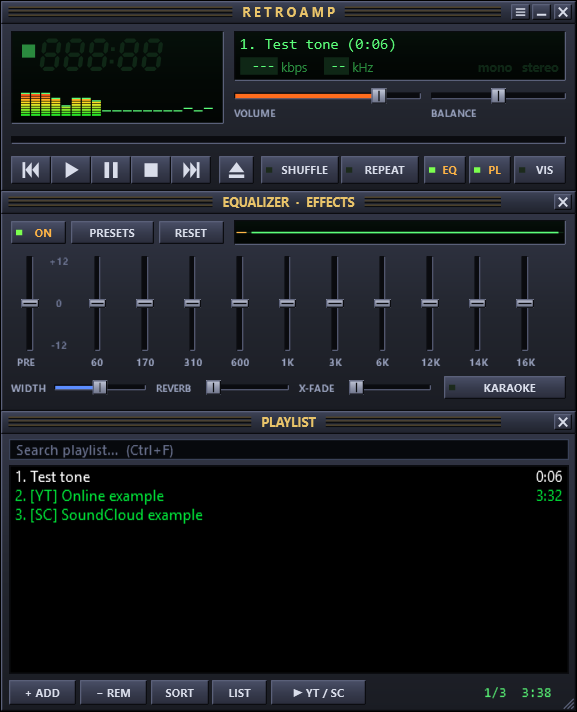
Play MP3, FLAC and other audio formats, or watch video in a separate window. Some formats need additional codecs.
A 10-band EQ, presets, crossfade, karaoke and music visualizers.
Synced lyrics from LRCLIB or LRC files; choose a skin or create your own.
Search or open links in the app. Online playback needs internet and may require a separate yt-dlp download.
Requires Windows 10/11. Windows 7/8.1 needs .NET Framework 4.8. The unsigned application may trigger SmartScreen; download only from the official GitHub release and verify it before running.
Yes. RetroAmp is open source under the MIT license.
No. RetroAmp is an independent project inspired by classic media players and is not affiliated with Winamp or its trademark owners.
Local music can be played from your computer; YouTube, SoundCloud and online lyrics require internet and their respective services.
Please respect service terms and content copyrights.